
Metro Bus Card App 2025 – How to Apply, Use & Recharge Online [Ultimate Guide]
Introduction
Punjab ke major shehron — Lahore, Rawalpindi–Islamabad, aur Multan — mein Metro Bus System ne public transport ka pura concept badal diya hai. Rozana hazaron passengers is modern service ka hissa bante hain, jo safar ko safe, reliable, aur time-efficient banati hai.
Lekin shuruati dinon mein ek bada challenge yeh tha ke passengers ko token lene ke liye lambi lines mein khara rehna padta tha, jis se waqt aur energy dono zaya hoti thi. Is maslay ka hal Punjab Mass Transit Authority (PMA) ne diya — ek advanced solution ke zariye: Metro Bus Card.
Yeh smart travel card ne traveling ko effortless bana diya; ab sirf aik tap se entry hoti hai — bina kisi wait ke. Lekin recharge aur card management ab tak manual tha — aur isi problem ka hal lekar aayi Metro Bus Card App (T-Cash Punjab App).
Ye app specially design ki gayi hai taake passengers apna Metro Card balance check kar saken, online recharge kar saken, aur QR ticket jese digital features directly mobile se use kar saken. Ab kisi counter par line mein lagne ki zarurat nahi — sab kuch app ke zariye instant hota hai.
Agar aap daily Metro traveler hain, to ye guide aapke liye hai — jisme hum detail se samjhaenge ke Metro Bus Card App ka use kaise hota hai, features kya hain, aur recharge ya balance check karne ka best tareeqa kya hai.
Table of Contents
Table of Contents
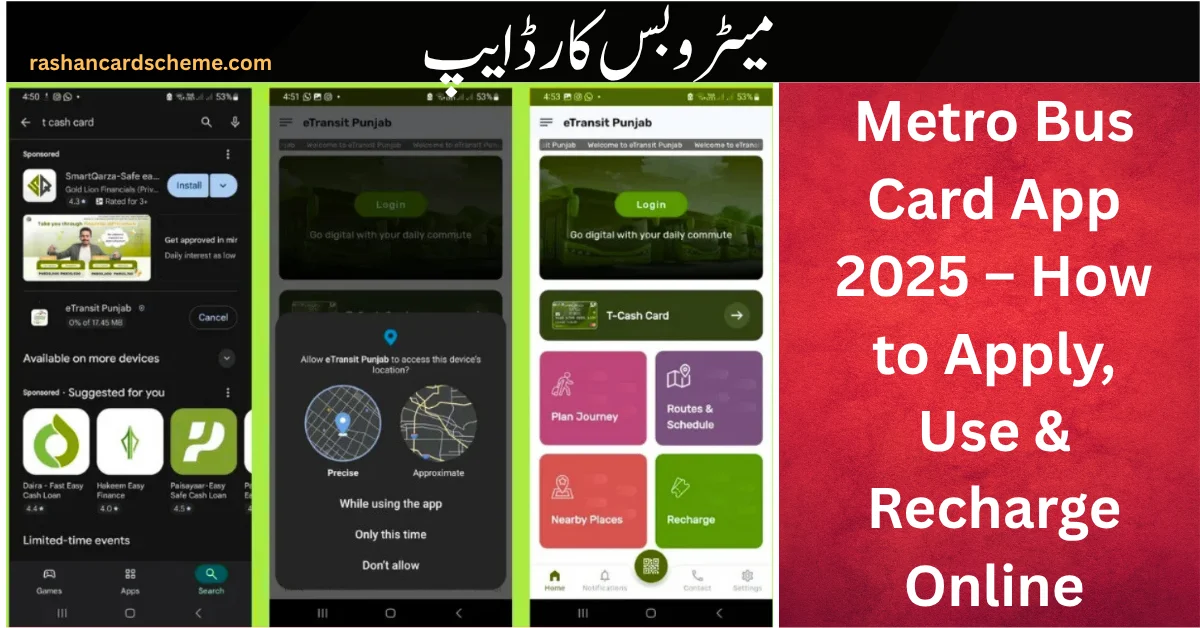
📲 How to Download Metro Bus Card App
🔸 For Android Users:
- Google Play Store kholen
- Search karein “T-Cash Punjab” ya “Metro Bus Card App”
- Install button par click karein
- App open karke required permissions allow karein
🔸 For iPhone Users:
- App Store kholen
- Type karein “T-Cash Punjab”
- App download aur install karein
App install hone ke baad login aur card linking ka process start hota hai, jisko hum next section me detail se samjhaenge.
How to Use Metro Bus Card App (Step-by-Step Guide)
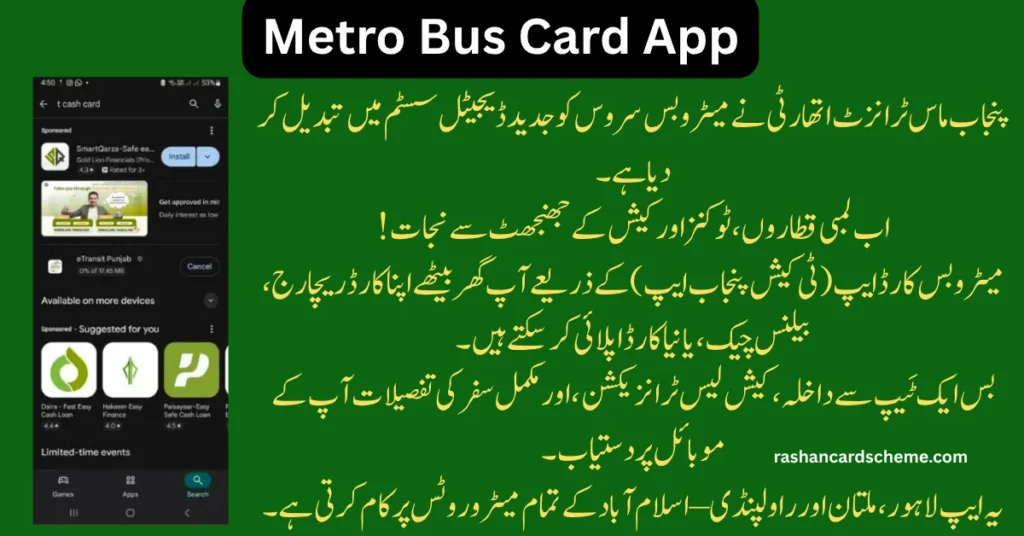
Agar aap pehli dafa Metro Bus Card App (T-Cash App) use kar rahe hain, to ye simple guide aapko har step me madad karegi — registration se QR ticket tak.
Step 1: Download & Register the App
- T-Cash Punjab App download karein (Play Store ya App Store se).
- “Register” par click karein aur apni basic details fill karein: Full Name, CNIC, Mobile Number, Password.
- OTP verification ke baad account successfully create ho jata hai.
✅ Tip: Stable internet connection zarur rakhein.
Step 2: Apply for a New Metro Bus Card (Optional)
- App ke “T-Cash Card → Apply Now” section par click karein.
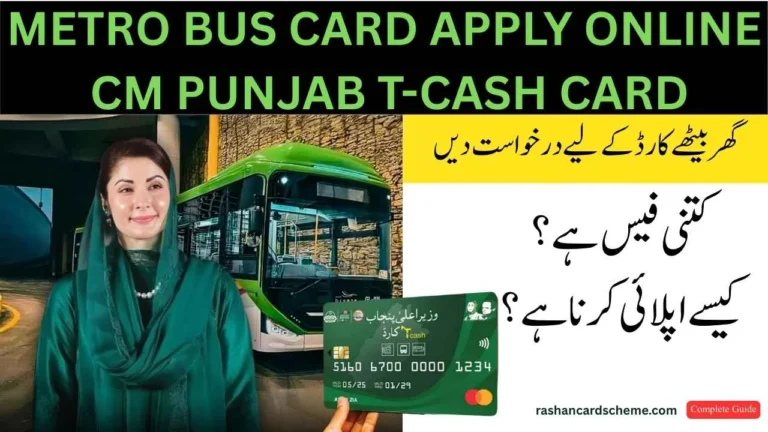
- Rs. 130 application fee pay karein (Easypaisa, JazzCash, Bank, ya Debit Card se).
- SMS confirmation ke zariye card delivery/collection details milti hain.
Ab aap ghar baithe apna Metro Bus Card order kar sakte hain — koi queue nahi.
Step 3: Sign In & Link Your Card
- “Add New Card” option select karein
- Card number enter karein (jo card par likha hota hai)
- Verification ke baad card app se link ho jata hai
Step 4: Check Your Balance
- Home screen par hi real-time balance show hota hai
Step 5: Recharge Your Card
- “Recharge” par tap karein
- Payment method select karein (Easypaisa, JazzCash, Bank, Debit/Credit Card)
- Amount enter karein → Confirm Payment
- Balance instantly update ho jata hai
Step 6: Generate QR Ticket (Without Card)
- “QR Ticket” feature se app QR code generate karti hai
- Gate scanner par tap karte hi entry milti hai
Step 7: Track Transaction History
- “My Transactions” tab me ride aur recharge history available hai
Step 8: Block Lost Card
- “Security Settings → Block My Card” par jaayein
- OTP verify karne ke baad card instantly block ho jata hai
Step 9: Contact Support
- “Help” section me Live Chat aur Helpline Support available hai
💡 Pro Tip:
App ka latest version install rakhein taake QR boarding, monthly pass, aur digital wallet features ka full faida mil sake.
Vision & Purpose Behind the Metro Bus Card App
Punjab Mass Transit Authority (PMA) ka vision hai public transport ko digital aur modern technology ke zariye smart banana.
Metro Bus Card App is vision ka ek aham hissa hai — jahan public transport ko contactless, cashless aur transparent system me convert kiya gaya hai.
Is initiative ka maqsad sirf recharge ya ticketing nahi, balkay ek complete smart urban mobility ecosystem banana hai — jahan har user ka personal, trackable aur 24/7 accessible travel account ho.
Sabse badi update ye hai ke T-Cash Card ab sirf travel ke liye nahi, balkay shopping aur online payments ke liye bhi use hota hai — yani ek hi card me aapka travel aur payment system dono integrated hain.
Punjab Government ka ye step public convenience ke sath digital transformation ki taraf ek real milestone hai.
Key Features of Metro Bus Card App
| Feature | Description |
| Balance Check | Real-time balance tracking directly from dashboard |
| Online Recharge | Instant top-up via Easypaisa, JazzCash, or Bank Cards |
| QR Ticketing System | Travel without carrying a physical card |
| Transaction History | View every fare and recharge record |
| Card Block Option | Instantly block card if lost |
| T-Cash Portal Integration | Single login for web and mobile |
Simple bilingual interface hone ki wajah se ye app har user ke liye asaan aur user-friendly hai.
Benefits of Using Metro Bus Card App
- ✅ 100% Digital & Contactless Travel
- ✅ Secure Payment via Bank of Punjab (BOP) Gateway
- ✅ No Queues – Save Time
- ✅ Transparent Fare Record
- ✅ Multi-City Access – Lahore, Multan, Rawalpindi–Islamabad
Ye app travel ke har aspect ko automate karti hai — time aur paisa dono bachati hai.
🔐 Login / Registration Help
Agar login me issue aaye to ye steps follow karein:
- Visit: https://etransit.punjab.gov.pk/auth/signup
- “Forgot Password” select karein
- CNIC aur registered number PMA ke record se match hone chahiye
Agar problem solve na ho to PMA helpline par contact karein.
How to Check Metro Bus Card Balance in App
- App open karein
- “Check Balance” par tap karein
- Real-time balance dekhein
- “Download Receipt” se slip save karein
Daily travelers ke liye ye feature perfect hai fare planning ke liye.
⚠️ Troubleshooting & Common Errors
| Issue | Quick Fix |
| App not connecting | Internet aur app version check karein |
| Recharge not showing | Dashboard refresh karein, 2–3 min wait karein |
| Card not linking | 12-digit card number verify karein |
| Login failed | Reset password via e-Transit portal |
📞 Official Links & Contact Information
| Contact Type | Details |
| Authority | Punjab Mass Transit Authority (PMA) |
| Address | Arfa Software Technology Park, Ferozepur Road, Lahore |
| Helpline | 042-111-222-627 |
| Website | https://pma.punjab.gov.pk/ |
| Portal | https://etransit.punjab.gov.pk/auth/signup |
Conclusion – Smart Travel with Metro Bus Card App
Punjab ka transport system ab digital revolution me enter ho chuka hai — aur Metro Bus Card App (T-Cash App) ne is change ko reality me badla hai.
Ab na lambi lines, na cash handling, aur na recharge counters ka wait — sab kuch aapke mobile phone par ek tap me available hai.
Ye app sirf travel ke liye nahi, balkay ek complete digital mobility solution hai jahan technology aur convenience dono milte hain.
Agar aap regular Metro Bus user hain, to ye app aapke liye ek must-have digital partner hai — jo safar ko cashless, fast, aur hassle-free banata hai.
🚍 Toh der kis baat ki?
Abhi Metro Bus Card App download karein, apna T-Cash Card register karein, aur apna daily travel banayein smart, safe aur modern.
FAQs – Metro Bus Card App
What is the official name of the Metro Bus Card App?
The official name is T-Cash Punjab App, launched by Punjab Mass Transit Authority (PMA).
Can I recharge my Metro Bus Card online?
Yes — via Easypaisa, JazzCash, Bank Transfer, or Debit/Credit Card.
Can I generate a QR ticket?
Yes, the app offers QR Ticketing for travel without a physical card.
Is it valid in Lahore, Multan, and Rawalpindi–Islamabad?
Yes, the app supports all Punjab Metro Bus routes.
How do I register?
Open the app → Register → Enter CNIC, Name, Mobile, Password → Verify OTP → Login.
What if I lose my Metro Card?
Go to Security Settings → Block My Card → Verify via OTP.
Can I apply for a new Metro Card through the app?
Yes, via “T-Cash Card → Apply Now” for Rs.130.
How can I check balance in the app?
Tap “Check Balance” on the dashboard — instantly visible.
Is the app secure?
Yes — integrated with the Bank of Punjab (BOP) gateway.
Can the T-Cash Card be used for shopping?
Yes, the latest update supports shopping, debit, and online payments.
Readmore: Metro Bus Card Apply Online Near Lahore – Complete Guide 2025


 Join Channel